
1. Start with CMYK for most print jobs
For almost every business card, flyer, poster, banner or sticker job, CMYK is the safest colour mode. It uses Cyan, Magenta, Yellow and Black inks, which is how digital print machines build colour on paper and vinyl. If your file is set up in RGB, colours can shift when the artwork is converted for print, sometimes more than you expect.
In simple terms, CMYK is for anything that will be physically printed. If you are sending artwork for a same-day print run in Randfontein CBD, Krugersdorp or Roodepoort, working in CMYK from the start helps avoid last minute surprises and keeps proofing quicker.
- Use CMYK for flyers, posters, menus, brochures and forms.
- Use CMYK for single sided and double sided business cards.
- Use CMYK for banners and stickers unless a specific colour system has been requested.
- Convert images and placed graphics before final export, not after.
2. Know when RGB causes trouble
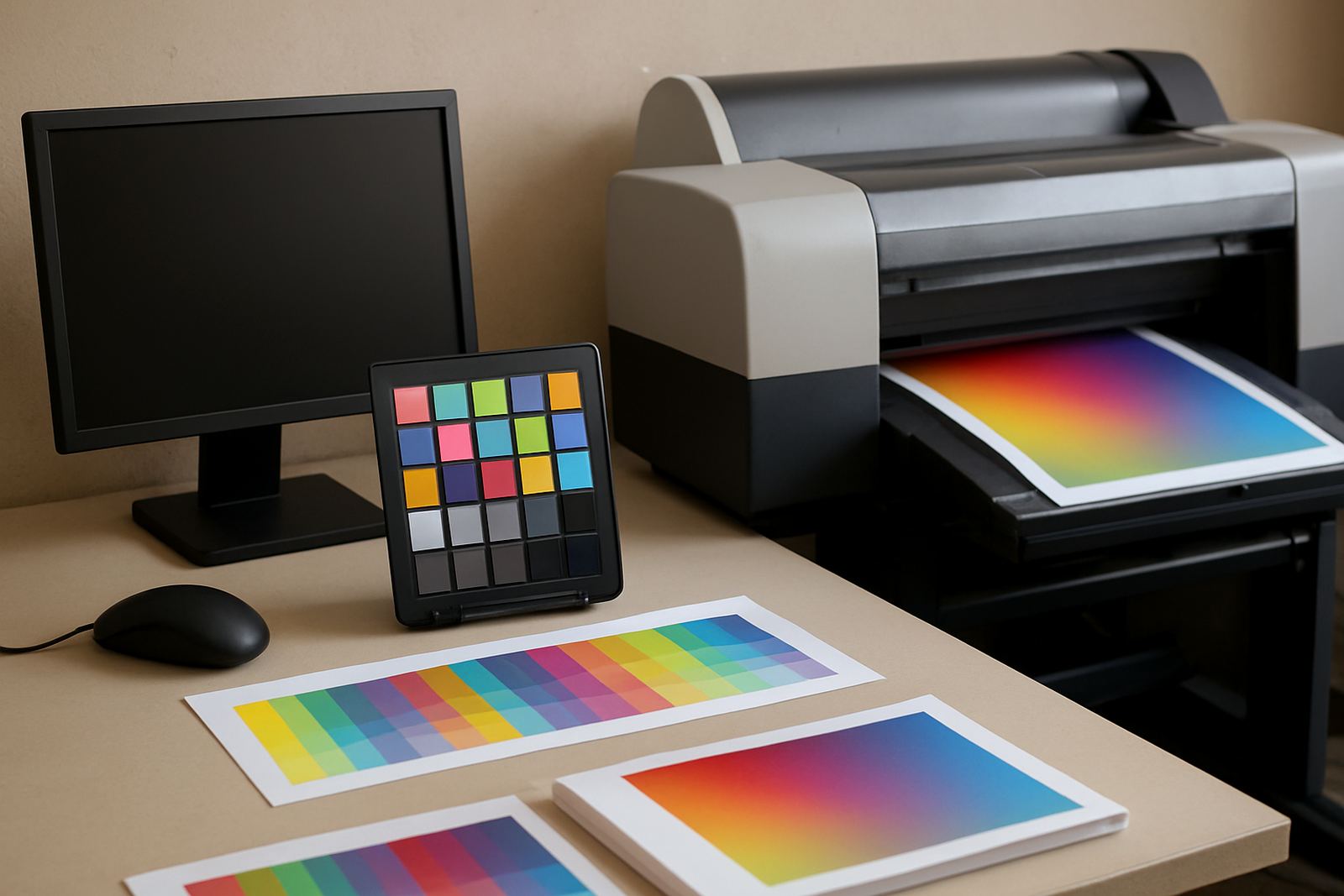
RGB is designed for screens. It is made of Red, Green and Blue light, so the bright colours you see on a monitor can look different on paper. A neon blue or a vivid lime green on your phone can print flatter, darker or less intense. That does not mean the file is wrong, it just means the colour space is for viewing, not printing.
Many clients in Mogale City, Westonaria and surrounding areas send artwork from a phone or from a social media post. That can still work, but the image should be checked before print. If your logo, flyer or poster was made for online use first, ask for a proper print version so the colours hold together better.
- Do not rely on screen brightness to judge print colour.
- RGB is fine for websites and social media, not for final print files.
- If a logo exists in both RGB and CMYK, send the CMYK version for print.
- View the file in a print preview, not only on your monitor.
3. Spot colours and when they matter
Some jobs need one exact colour every time. In that case, a spot colour system may be used. This is useful when a brand has a very strict colour and the same shade must appear on every batch of cards, signage or stickers. Spot colours are also helpful for simple artwork where one or two colours are cheaper and cleaner than a full colour build.
For digital printing, spot colours are often converted into CMYK or matched as closely as possible. If you are printing a series of forms, labels or promotional stickers for branches in Randfontein, Greenhills or Mohlakeng, consistency matters more than fancy effects. Keep the artwork clean and tell us if the colour must match an existing sample.
- Use spot colours when consistency is more important than colour variety.
- Provide a sample or reference if the same colour must be repeated.
- Ask about how metallics, fluorescents and very bright tones will print.
- Use spot colours carefully on logos, icons and simple layouts.
4. Prepare images, logos and backgrounds properly
Colour mode is only one part of the job. Your images and background colours also affect the final result. A sharp logo in the right mode can still print badly if the image is too small, heavily compressed or saved from a screenshot. For the best result, use original artwork and keep files clear at the size they will be printed.
Solid colour backgrounds need special attention too. Very deep blacks, rich reds and dark blues can print differently on coated paper, uncoated stock or vinyl. If the job will be used in a shop window, on a vehicle panel or in a humid coastal environment, colour can behave slightly differently once the material is handled and exposed to light.
- Use high resolution images, ideally 300 dpi for print.
- Avoid screenshots for logos or layout elements.
- Keep text in black where possible for clean reading.
- Save line art and logos from the original source file if available.
5. Check your file before you send it for print
A quick check can save time, money and reprints. Before you submit artwork, look at the document in the correct colour mode and review it at full size. If you have used light colours on a white background or dark text on a dark block, check that the contrast is strong enough. Small changes can make a big difference once ink goes on paper.
This is especially important for same-day jobs. When a client in Randfontein sends a flyer before midday, the file should be ready to go with fewer questions and fewer corrections. It helps to run through a short checklist before sending your artwork through the enquiry form on our contact page.
- Confirm the file is set to CMYK for print.
- Check all linked images and logos for quality.
- Make sure black text is clear and not washed out.
- Review spelling, spacing and crop marks before final export.
- Keep margins clear so no important detail gets cut off.
6. Common mistakes we see in West Rand print files
Most colour problems are easy to fix once they are spotted. The usual issues are files saved in RGB, low resolution graphics, colours chosen from a screen without checking print output, and artwork copied from a social post. Another common one is using a rich background with thin white text, which can look fine on screen but print unevenly if the file is not prepared properly.
Our team checks print ready artwork, proofing updates and redraws for businesses across Krugersdorp, Westonaria, Mogale City and Roodepoort. If your file needs a logo refresh, flyer design or banner artwork, it is better to sort the colour mode and layout first, then move into production. That way the print run is cleaner, quicker and less stressful for everyone.
- Do not send final artwork in RGB unless advised otherwise.
- Do not flatten everything into one low quality image.
- Do not trust a bright screen to show the true print colour.
- Do ask for help if the file came from a social media post or old source.